Spin the Wheel Widget: A Fortune Wheel Giveaway for Your Stream
A spin the wheel widget for your stream: a transparent OBS fortune wheel, chat entry via !spin, coin prizes and auto payout. How to set it up.
 Pavel··4 min read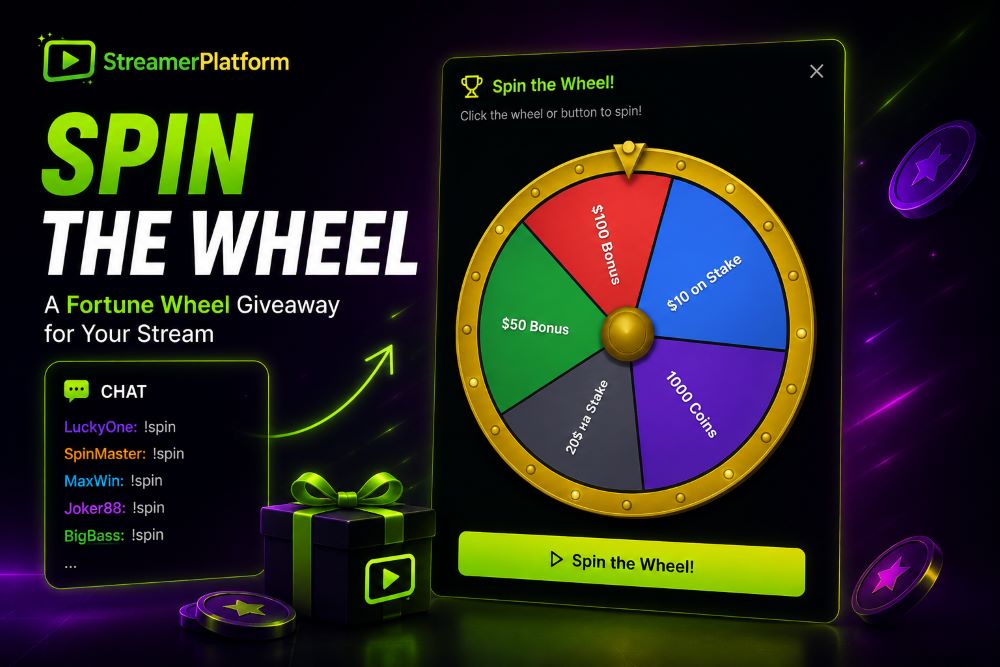
Try it right now: spin a live wheel from your Kick or Twitch chat, free and with no signup.
Open the free wheelA fortune wheel is one of the most visual giveaway formats on stream: viewers enter, the wheel spins, and everyone sees the winner in real time. To make it look good you need more than a name randomizer. You need a spin the wheel widget that shows the spin live on stream and hands out the prize itself. Here is how ours works and how to set it up in a couple of minutes.
What a spin the wheel widget should do
Before you plug in a tool, keep a short checklist in mind. A proper wheel widget should:
show the spin right inside OBS, over your stream;
collect entrants from chat with no manual typing;
pick the winner and the prize on its own, with no extra software;
hand out the prize automatically, for example credit coins;
be able to filter entrants (subscription, follow, badges).
The OBS wheel widget
On our platform the wheel is a ready-made OBS widget. You add a single link as a Browser Source and a transparent overlay appears over your stream by itself as soon as you open entry collection.
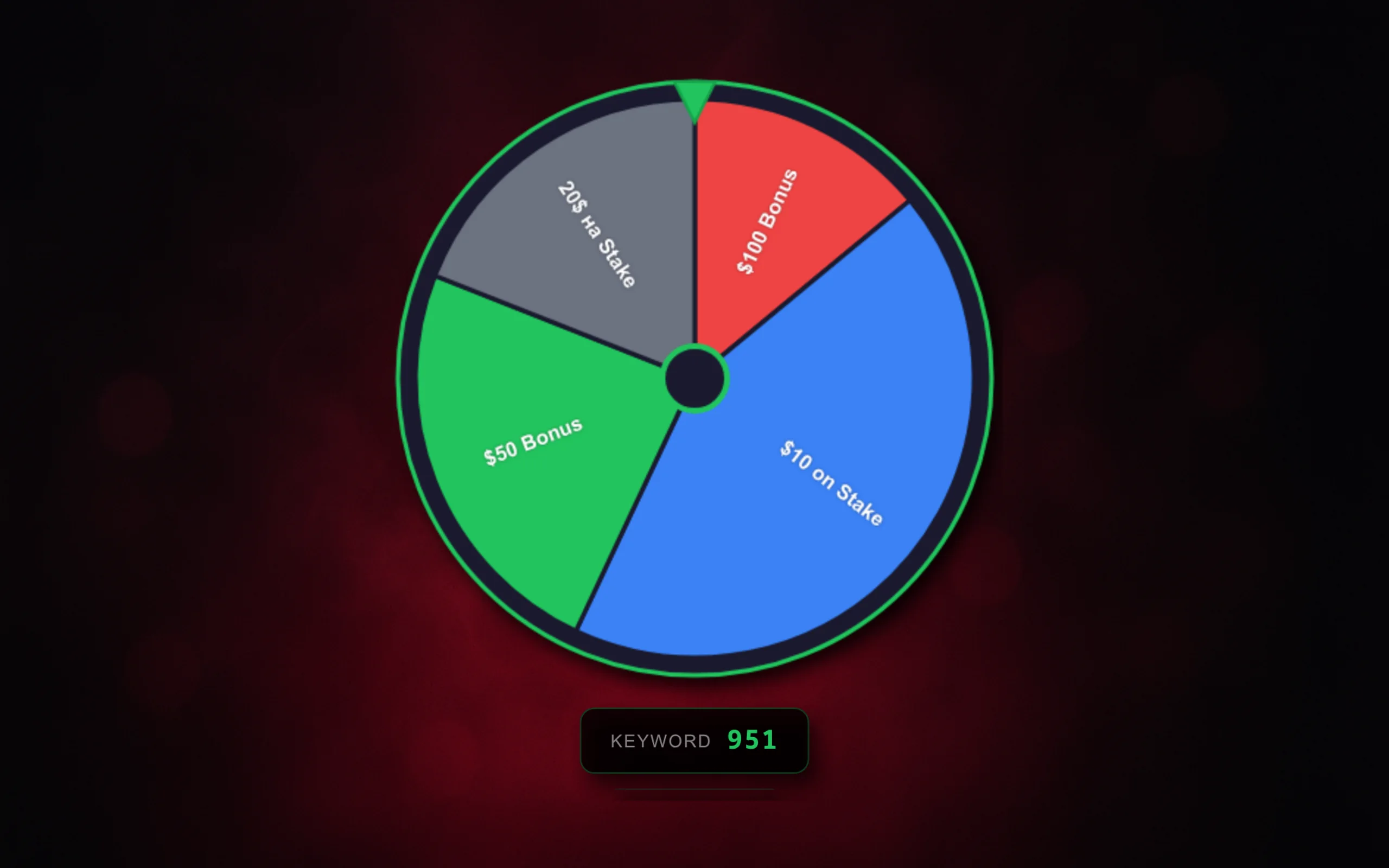
What the widget does:
transparent background, so the wheel draws over any scene;
during collection it shows the keyword and the latest entrant;
at draw time it spins the wheel in real time and highlights the winner;
everything starts by itself when you hit spin in the admin panel.
How viewers enter
There are two entry modes, switched in the admin panel.
In chat: viewers type the keyword (
!spinby default) in your chat on Kick, Twitch or YouTube and join the draw. No manual typing on your side.With a site button: viewers open your site and click Join on the wheel card.
You can gate entry with filters: Telegram channel subscription, channel follow, Discord membership and any of your badges. The requirements are shown to viewers right on the wheel card.
Prizes and the draw
The wheel is made of segments you configure yourself. Each segment has a label, a color, a weight (probability) and a reward type:
coins: the winner is credited coins to their balance automatically;
custom prize: free text, for example a promo code or a skin giveaway;
nothing: a better-luck-next-time segment.
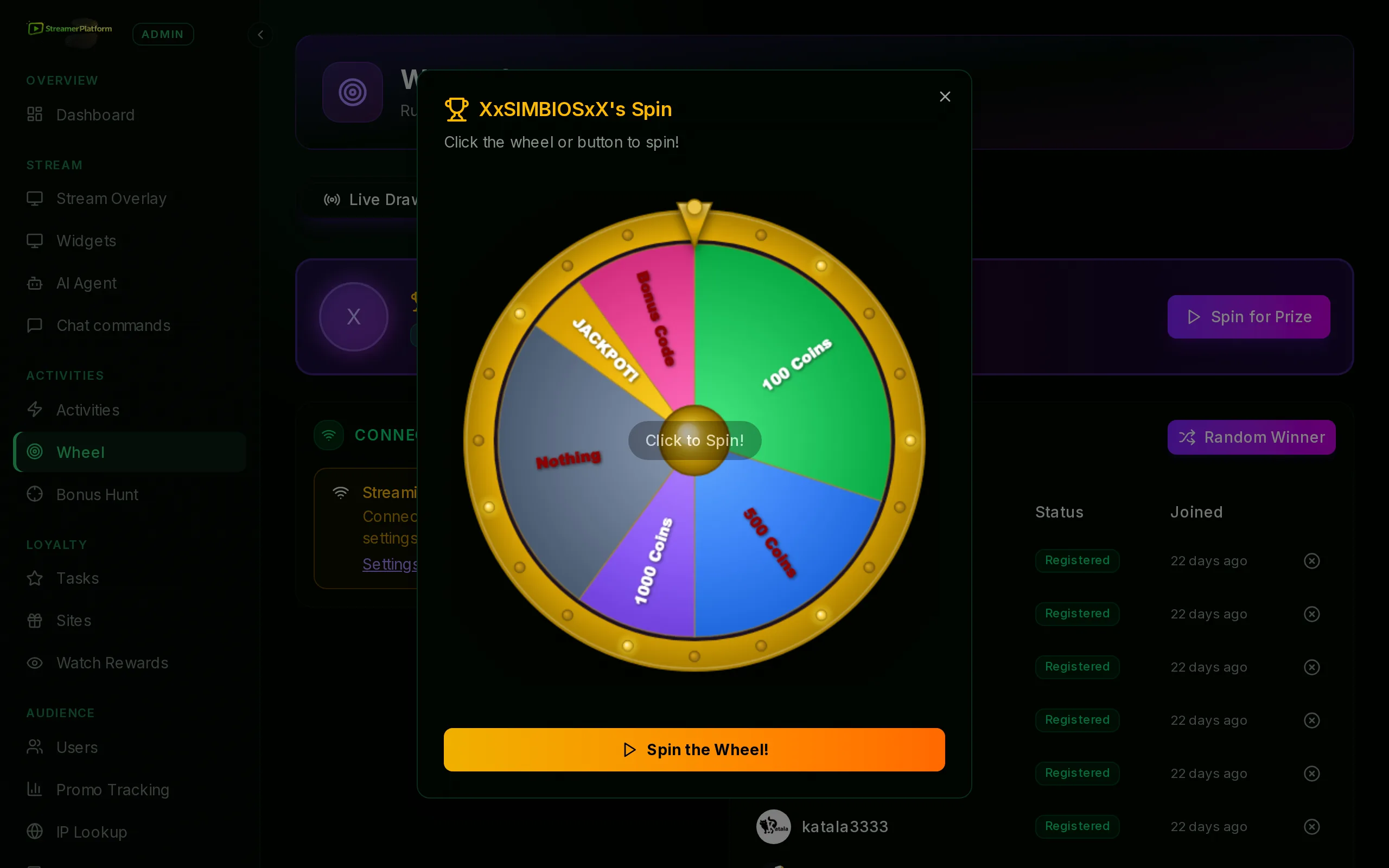
Who wins and which segment comes up are decided on the server with cryptographically random, weighted selection, so the result cannot be rigged from the browser. Coins for a currency segment are credited automatically, and the winner gets a notification.
Chat mode also has a response timer: after a winner is drawn, a countdown starts (30 seconds by default) and the widget waits for the winner's message in chat. Handy to confirm the person is around.
Set it up in a couple of minutes
Everything is configured in the Wheel section of the admin panel, which has three tabs.
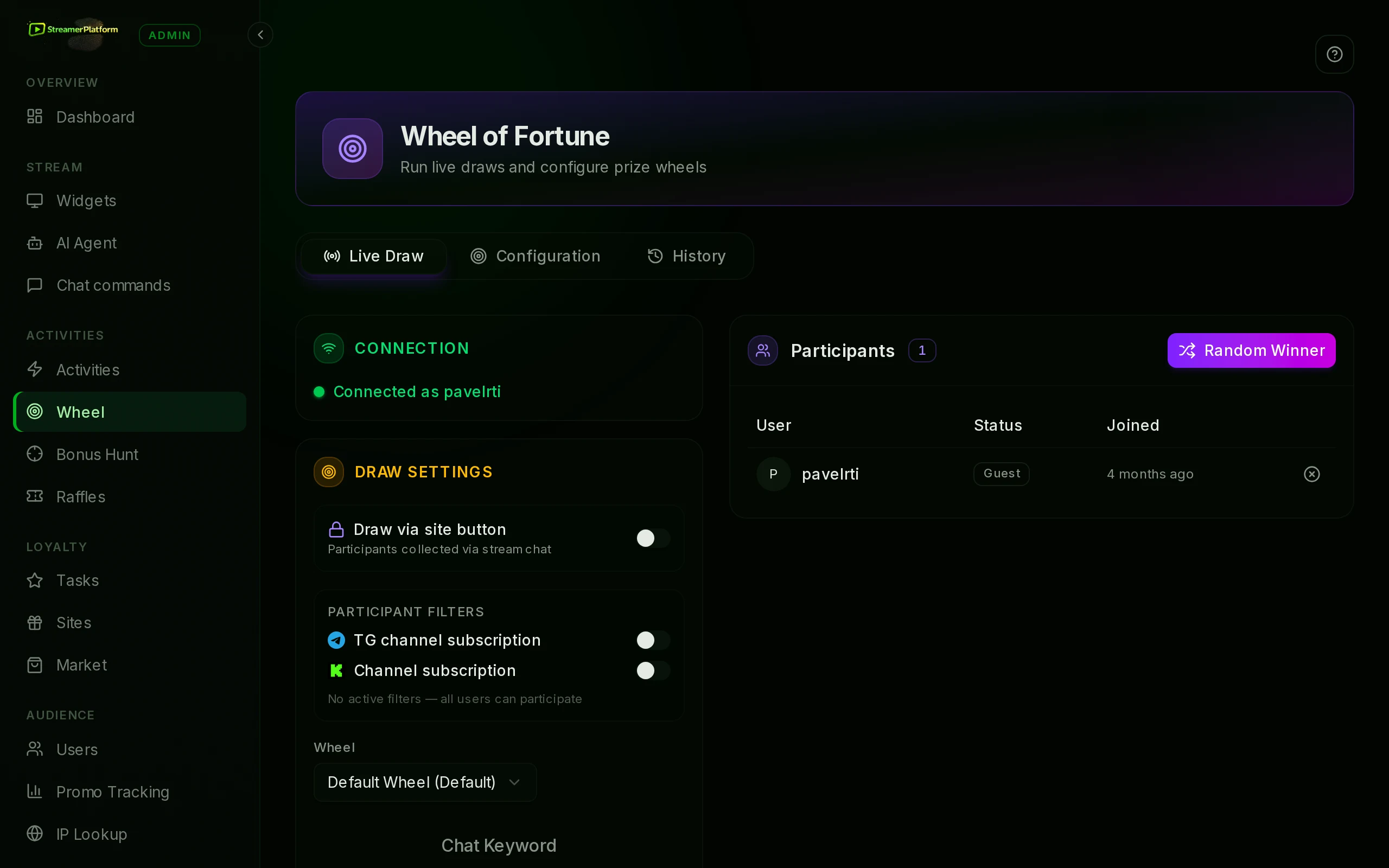
Configuration: create a wheel and describe its segments (label, color, weight, reward type and amount).
Live Draw: pick the wheel, the entry mode (chat or site button) and the keyword, for example
!spin.Optionally enable filters (Telegram, follow, Discord, badges) and the winner response timer.
Add the wheel widget link to OBS as a Browser Source.
Click Start collecting, wait for entrants and spin the wheel.
Run the wheel from chat
You can start and spin the wheel straight from chat, without opening the admin panel. Moderator or streamer commands:
!wheel SALUT: start collecting; SALUT becomes the word viewers type to enter.!wheel stop: stop collecting entrants.!wheel spin: pick a random winner.!wheel clear: clear the entrant list.
The OBS widget reacts to these commands by itself: it shows the collection and plays the spin animation.
Why this beats a generic randomizer
Free wheel randomizers just spin a list of names. Here the wheel is built into the streamer's platform and economy:
the spin runs right in OBS, with no extra windows or screen capture;
entrants are collected from chat on Kick, Twitch and YouTube at once;
coin prizes are credited automatically;
filters by subscription, follow and badges;
a history of draws and a result page for every spin.
A spin the wheel widget, chat entry and prizes are already built into the platform. Create your streamer site and run your first wheel draw with the widget in OBS. And to run a bonus hunt straight from chat, see our separate article.
See it live
These are the real widgets, looping. Set them up on your own channel in a couple of clicks.
Launch this on your channel
Build your own site on StreamerPlatform: activities, rewards and giveaways work out of the box.
Create your site freeI love streams and I also really enjoy coming up with something new to interact with viewers.